PayNow Module
Overview
The PayNow module allows Lunar Client users to complete purchases directly within the game, providing a faster, more seamless checkout experience.
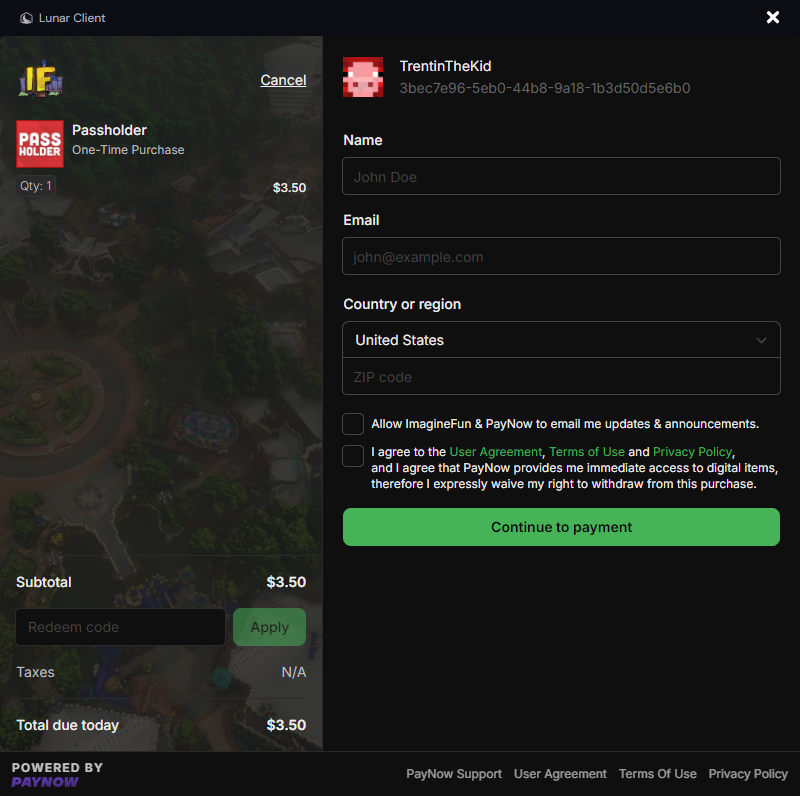
Overlay Mode
This mode displays the PayNow checkout flow as an overlay on the Minecraft window, similar to opening an inventory. It provides the most seamless experience and is the preferred method. Overlay mode is only available on Windows.
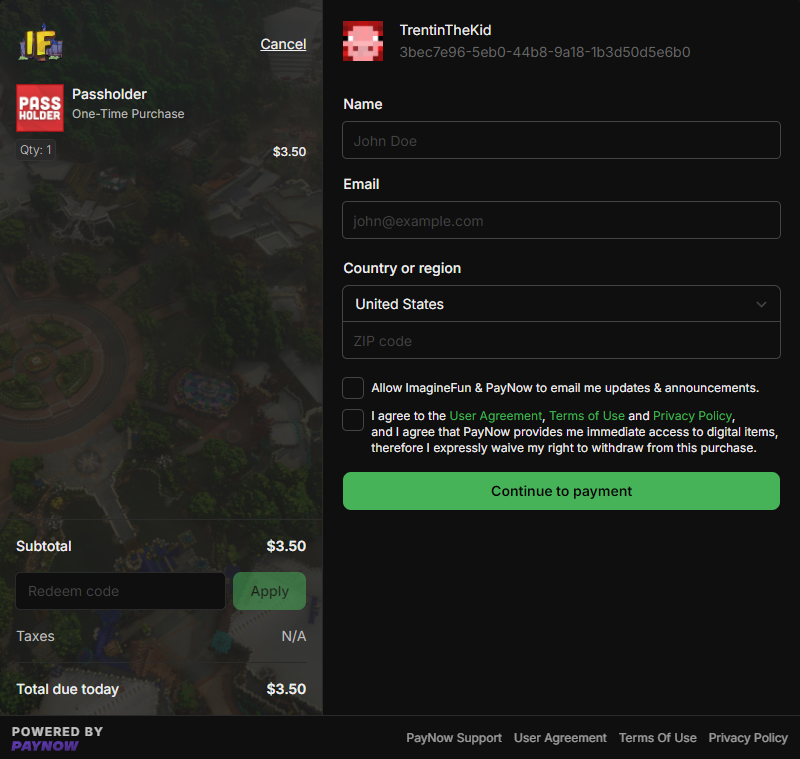
Window Mode
As a fallback, and for macOS and Linux users, a separate window opens to display the PayNow checkout flow. While not as seamless as overlay mode, this ensures compatibility across all operating systems.
Usage Guidelines
To ensure a smooth user experience, servers must only open checkout windows from user-initiated actions. Examples include, but aren’t limited to:
Allowed (User-Initiated Actions):
- Clicking a link in chat
- Running a command
- Clicking a button in a GUI
Not Allowed (Automated/Intrusive Actions):
- Triggering on login
- Automatically opening at set intervals (e.g., every 30 minutes)
- Automatically opening during flash sales, events, or other promotions without user interaction
This feature is designed to enhance the user experience by providing a seamless checkout process, misuse of this module, such as creating a disruptive or intrusive purchase flow, will result in restricted access in the future.
Integration
The only piece of information sent from the server to the client to trigger a checkout window is the PayNow checkout token. This unique identifier represents an in-progress checkout.
If a player is not using Lunar Client, the same PayNow checkout can be used on the web at: https://checkout.paynow.gg/?t=<token>
Example flow
- Create a checkout token using the PayNow API that includes the desired products in the basket.
- If the player is using Lunar Client: Send an Apollo packet to open the checkout modal.
- If the player is not using Lunar Client: Send a chat message with a PayNow payment link.
PayNow API
Checkout tokens are created via the PayNow Checkout API . This API allows programmatic checkout creation and more.
Getting started with the PayNow API
API Authentication
You’ll need your API Key from: PayNow API Keys
Never share these credentials with Lunar Client or external servers. They should only be used while communicating with PayNow.
Sample Code
Explore each integration by cycling through each tab to find the best fit for your requirements and needs.
Apollo API examples. See General for common patterns and helpers.
Display PayNow Embedded Checkout
public void displayPayNowEmbeddedCheckoutExample(Player viewer, String checkoutToken) {
    Optional<ApolloPlayer> apolloPlayerOpt = Apollo.getPlayerManager().getPlayer(viewer.getUniqueId());

    if (!apolloPlayerOpt.isPresent()) {
        viewer.sendMessage("Complete your purchase at https://checkout.paynow.gg/?t=" + checkoutToken);
        return;
    }

    ApolloPlayer apolloPlayer = apolloPlayerOpt.get();
    PayNowEmbeddedCheckoutSupport embeddedCheckoutSupport = apolloPlayer.getPayNowEmbeddedCheckoutSupport();

    if (embeddedCheckoutSupport == PayNowEmbeddedCheckoutSupport.UNSUPPORTED) {
        viewer.sendMessage("Complete your purchase at https://checkout.paynow.gg/?t=" + checkoutToken);
        return;
    }

    this.payNowModule.displayPayNowEmbeddedCheckout(apolloPlayer, checkoutToken);

    if (embeddedCheckoutSupport == PayNowEmbeddedCheckoutSupport.OVERLAY) {
        viewer.sendMessage("Opening checkout as game overlay!");
    } else {
        viewer.sendMessage("Opening checkout in an external window!");
    }
}